Red CandleTrading Journal
Desktop Trading Journal for Forex & Gold

Your chart has been here before.
See what happened next.

Red Candle finds past charts in your own MT5 history that look like today's and shows how they played out. AI explains the structure in plain words, and your journal stays on your computer, never on our servers.

✓ Your trades never reach our servers✓ Works offline for up to 14 days✓ Bring Your Own AI Key✓ 1 Subscription = 1 Computer

Opening the demo…

Sample data · runs only in this browser tab · Open full screen

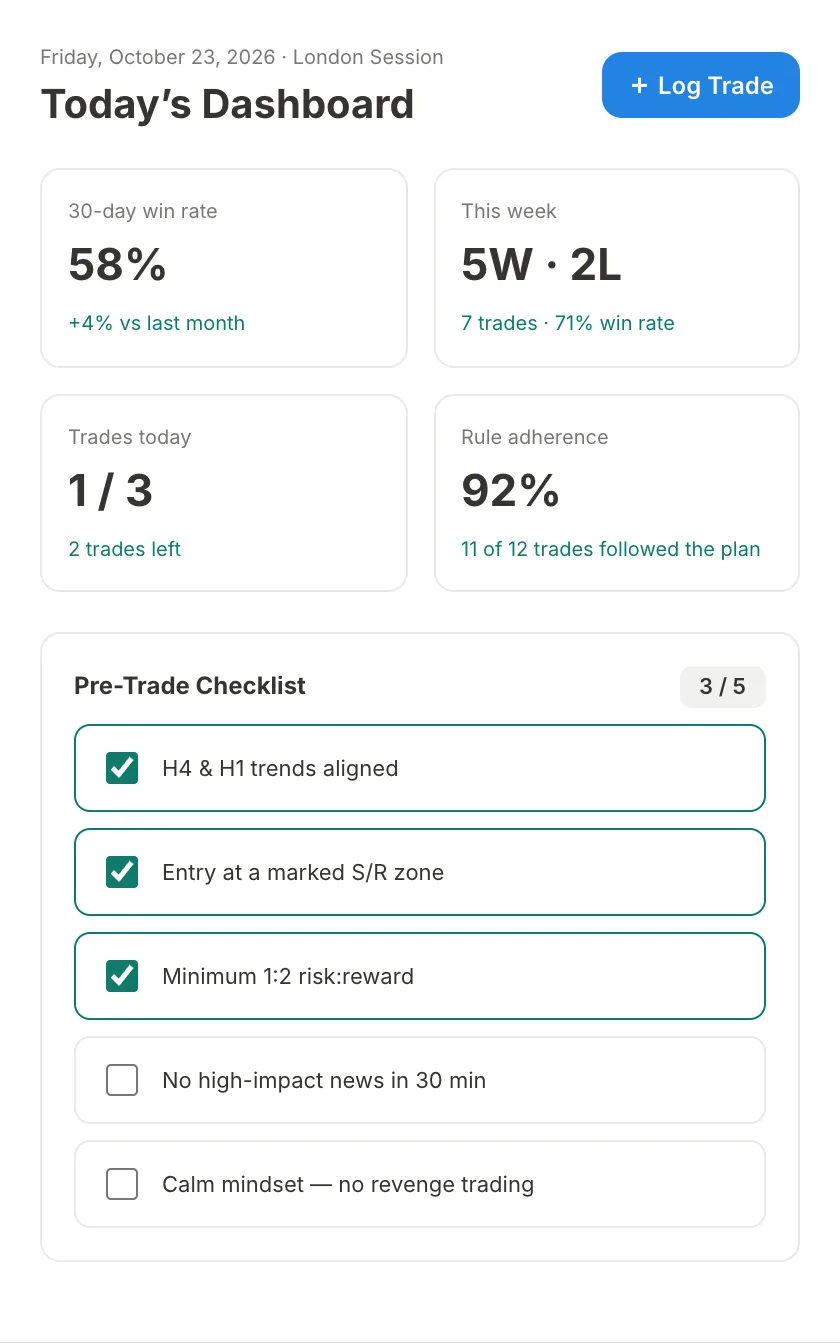
DashboardToday's results, daily limits and your pre-trade checklist at a glance.
Dashboard: Today's results, daily limits and your pre-trade checklist at a glance.
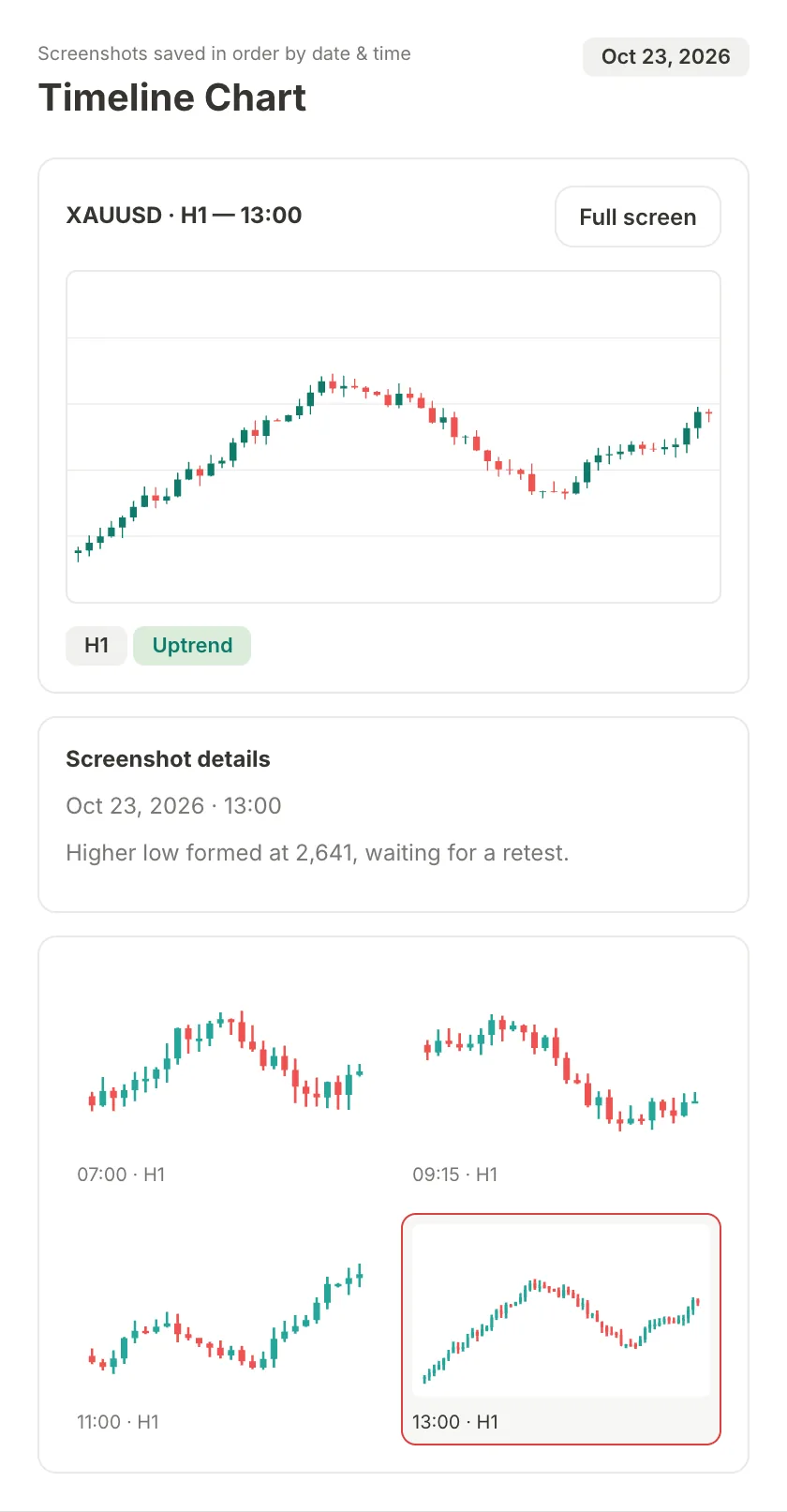
Timeline ChartEvery chart screenshot in order by date and time, with its AI chart reading.
Timeline Chart: Every chart screenshot in order by date and time, with its AI chart reading.
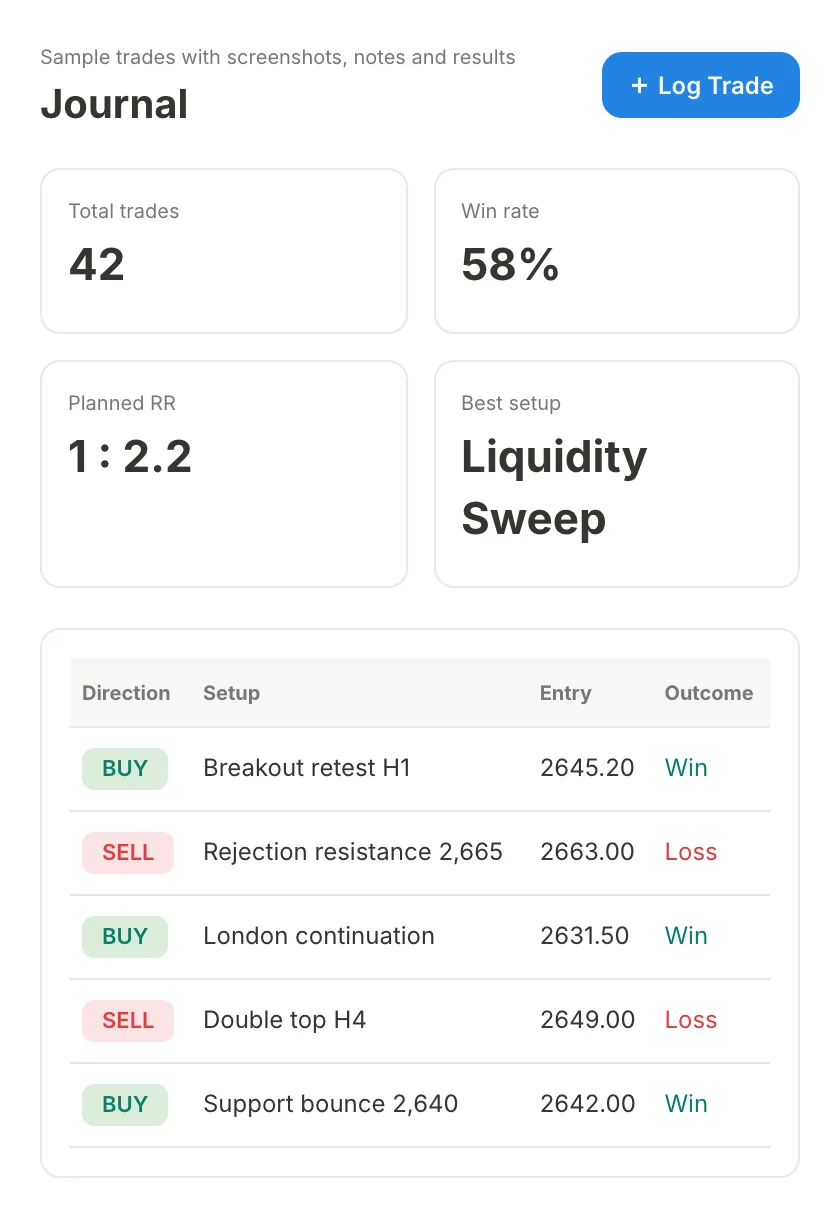
JournalEach trade with its setup, entry and outcome, plus your win rate.
Journal: Each trade with its setup, entry and outcome, plus your win rate.
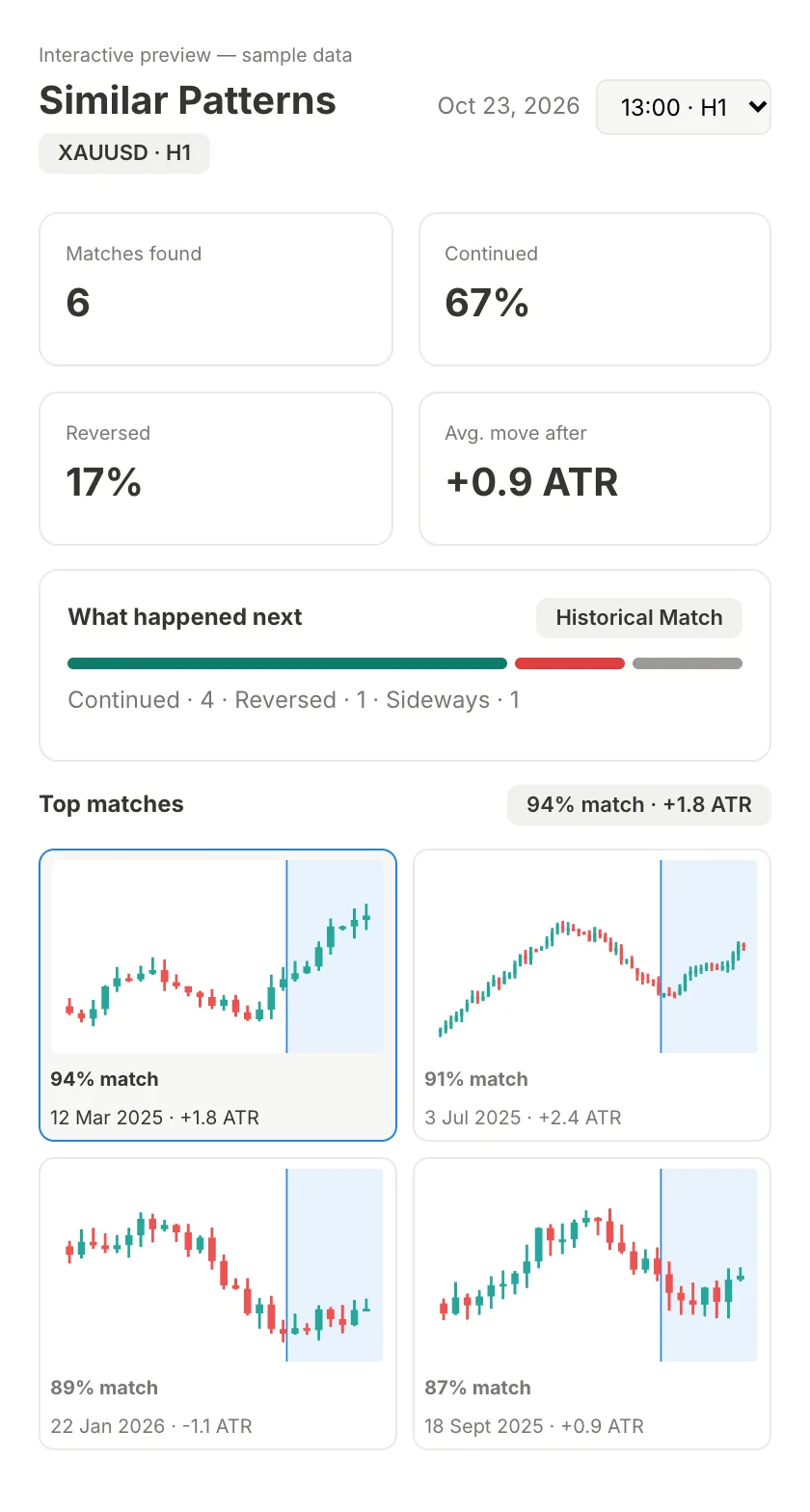
Similar PatternsPast moments on your MT5 candles that looked like now, and what followed.
Similar Patterns: Past moments on your MT5 candles that looked like now, and what followed.
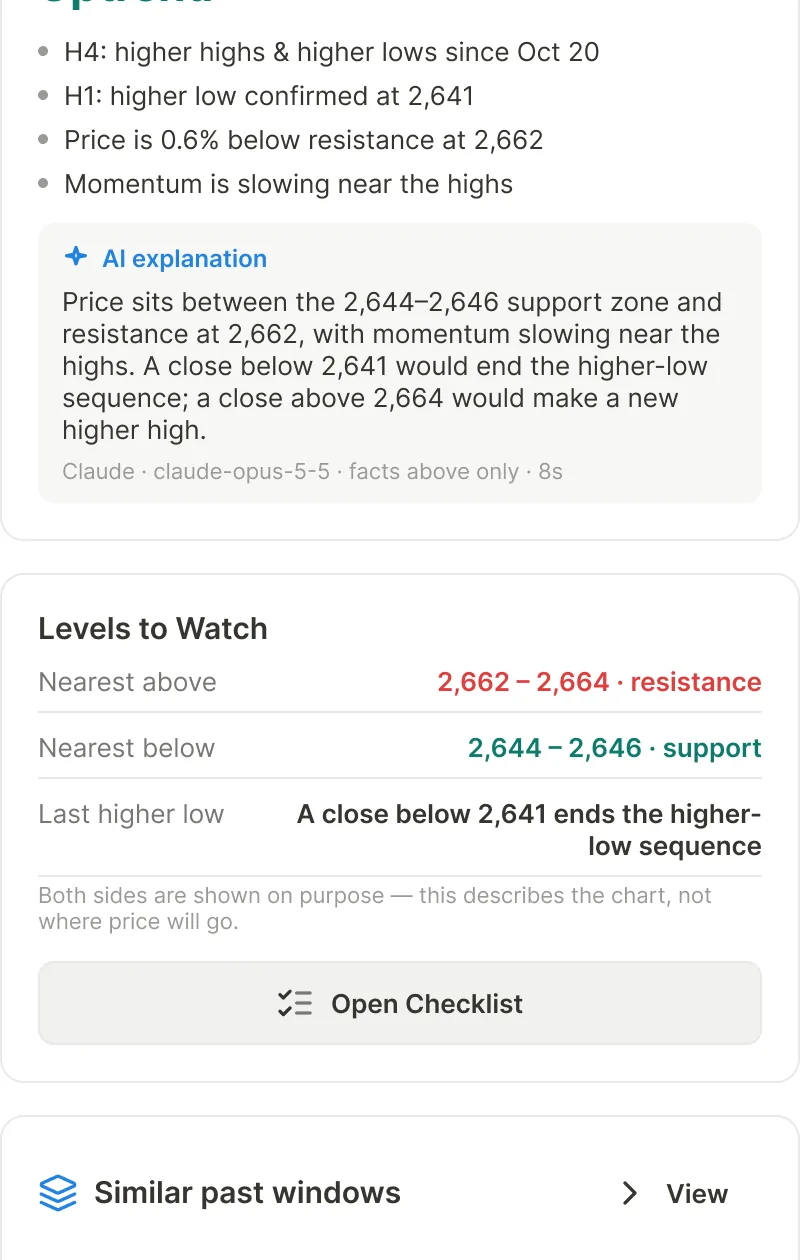
AI AnalysisStructure and levels calculated from your candles, explained by AI.
AI Analysis: Structure and levels calculated from your candles, explained by AI.

Swipe to see each screen. Sample data.

WHY RED CANDLE

Your own data, working for you

Pattern search on your MT5 history, a journal that stays private, and AI that explains the chart from real numbers.

01Similar Patterns

Look up how this chart played out before

Red Candle scans years of your MT5 candles for moments shaped like the last 20 to 50 candles. See how many continued, reversed or went sideways, how far price moved, and open any match side by side with today.

Explore Similar Patterns
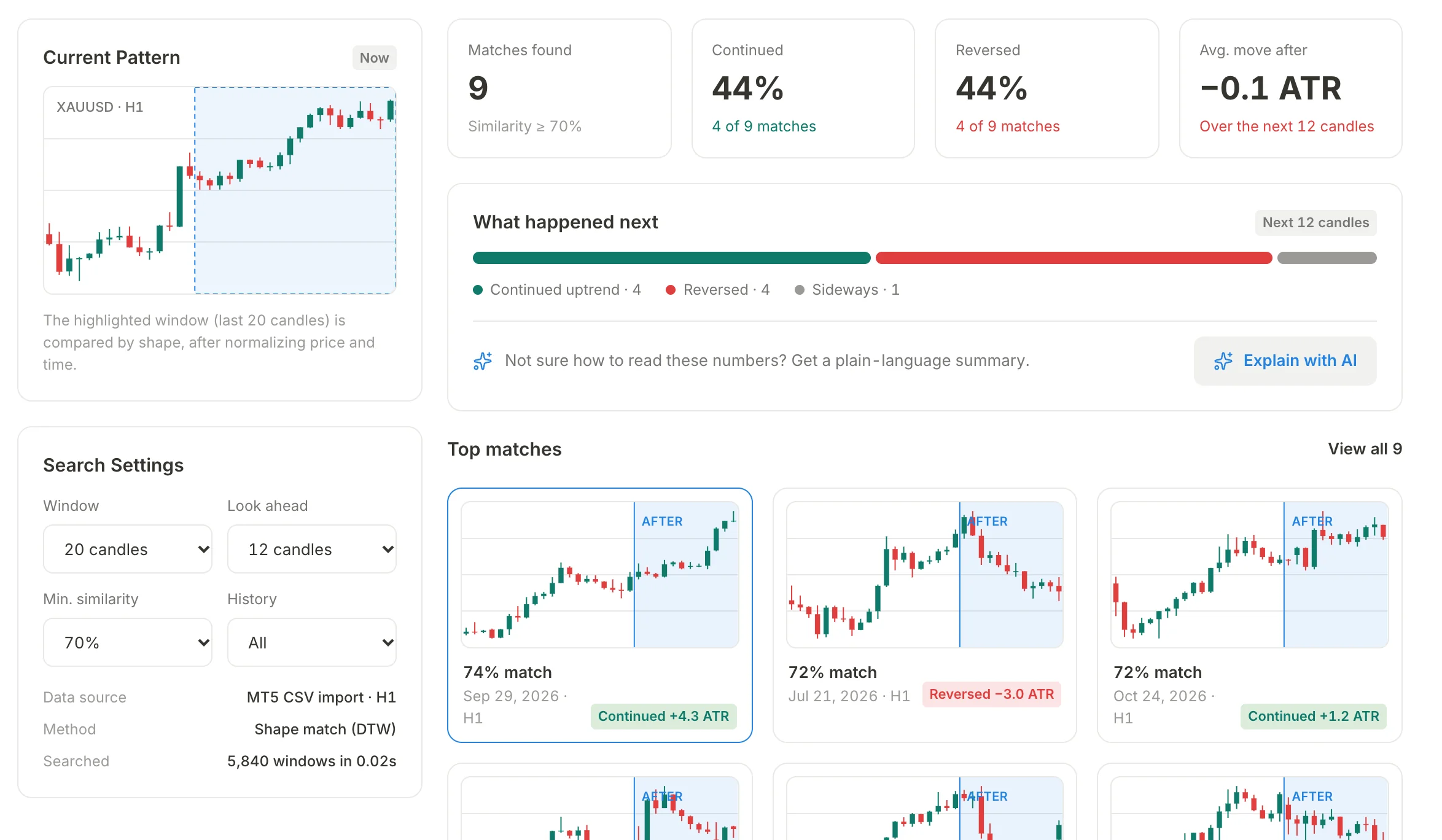
Similar Patterns in Red Candle: the current XAUUSD H1 pattern, the search settings, 9 past matches, how many continued or reversed, and the top matches.
02Private by Design

Your trades never reach our servers

Your journal, chart screenshots and MT5 candles live in a database on your own computer. We can't see your strategy, your results or your mistakes, and the app keeps working offline for up to 14 days.

How we handle your data
03AI Analysis

AI that reads your chart from real numbers

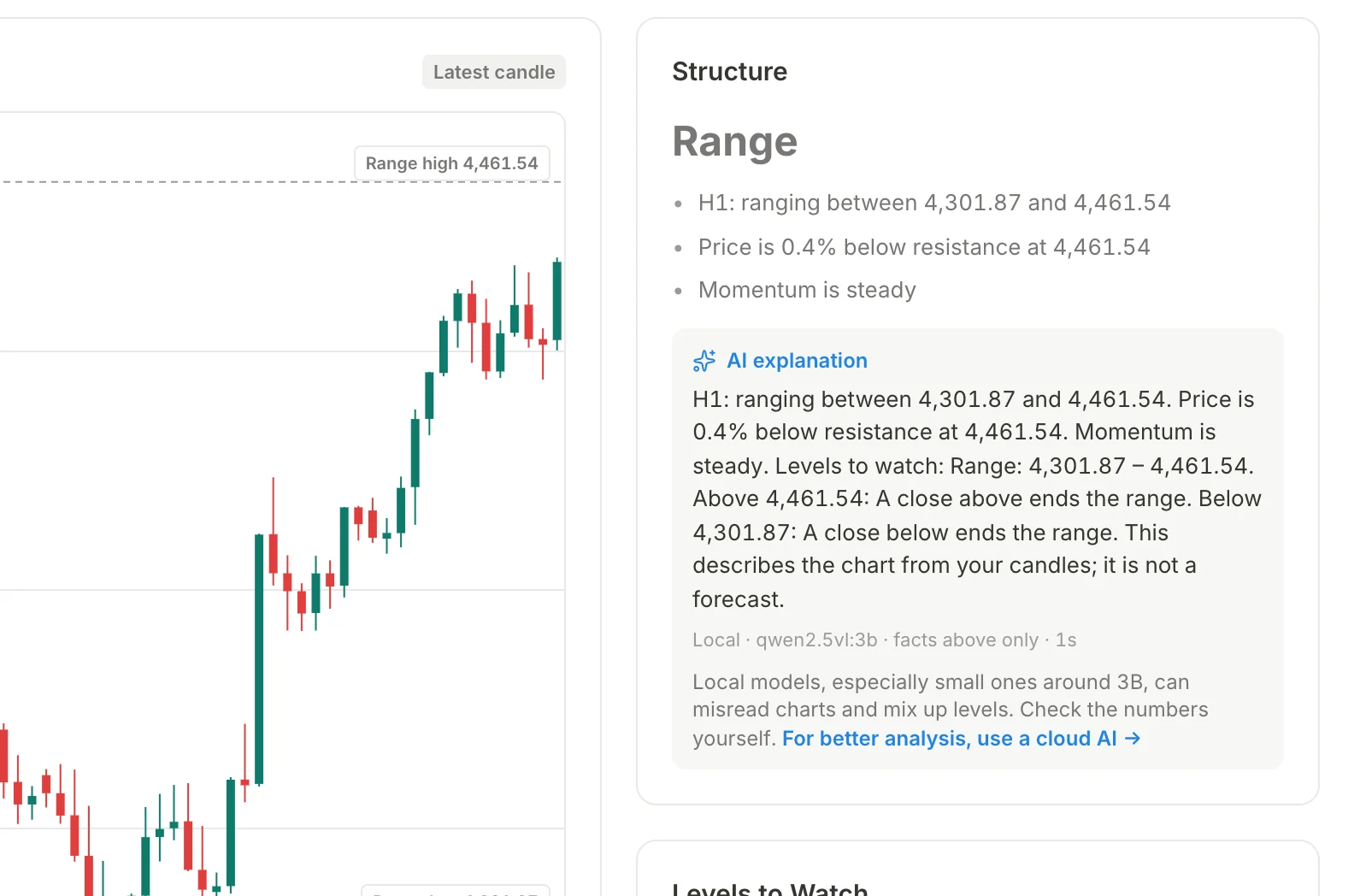
Red Candle measures trend, support and resistance from your candles, then AI explains them in plain words. Use ChatGPT, Gemini or Claude with your own key, or a free local model with Ollama.

Explore AI Analysis
AI Analysis in Red Candle: an XAUUSD H1 chart with the range edges, the Structure panel and its AI explanation.
BUILT FOR DISCIPLINED TRADERS

And the tools to trade your plan

Screenshots, checklist, journal and MT5 candles in one desktop app — built to keep you on your plan.

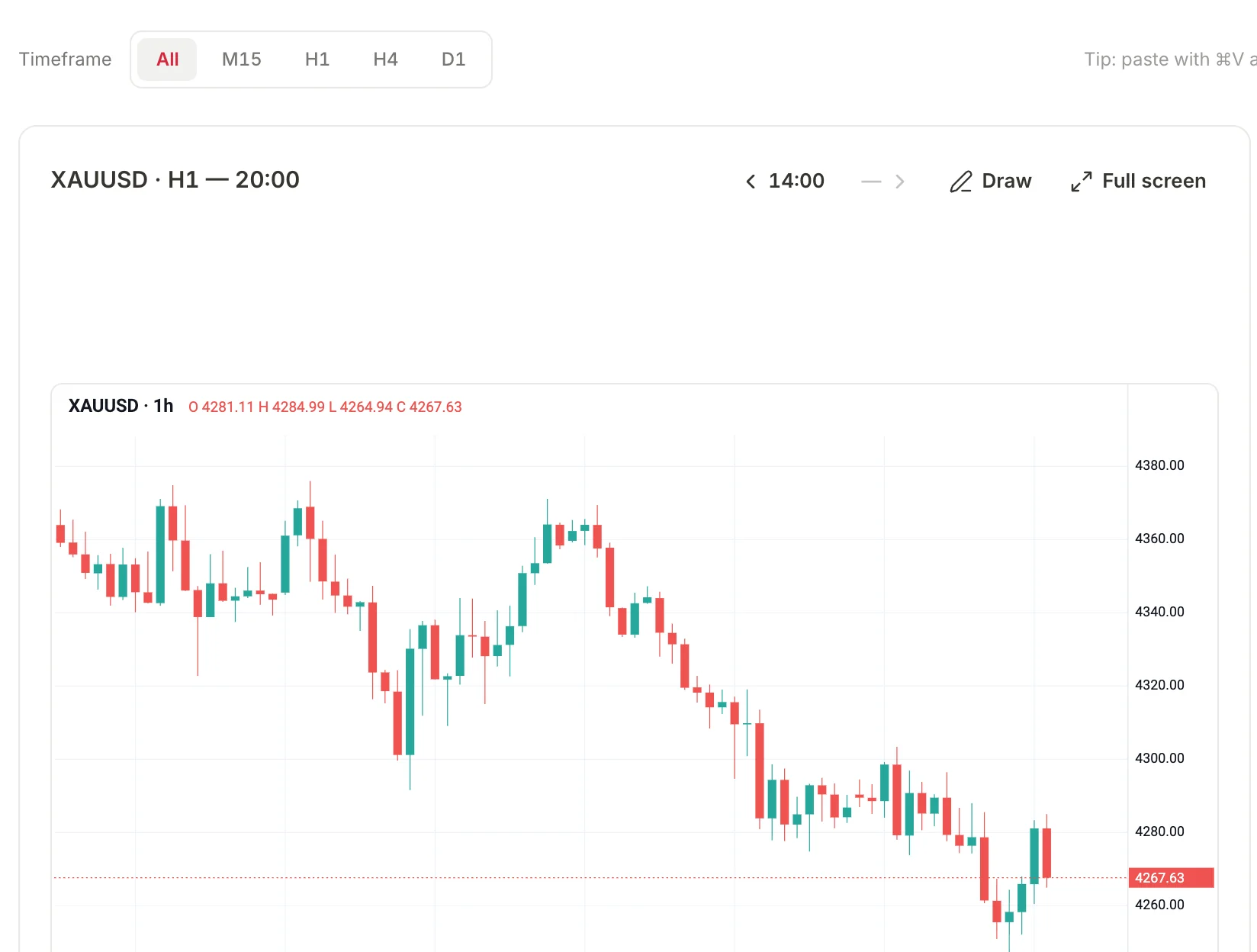
Timeline Chart in Red Candle: an XAUUSD H1 screenshot placed at its chart time, with timeframe filters.
Paste ⌘V / Ctrl+V

Every chart on a timeline

Paste a chart screenshot anywhere and it lands at the exact chart time — with symbol and timeframe auto-detected from TradingView filenames.

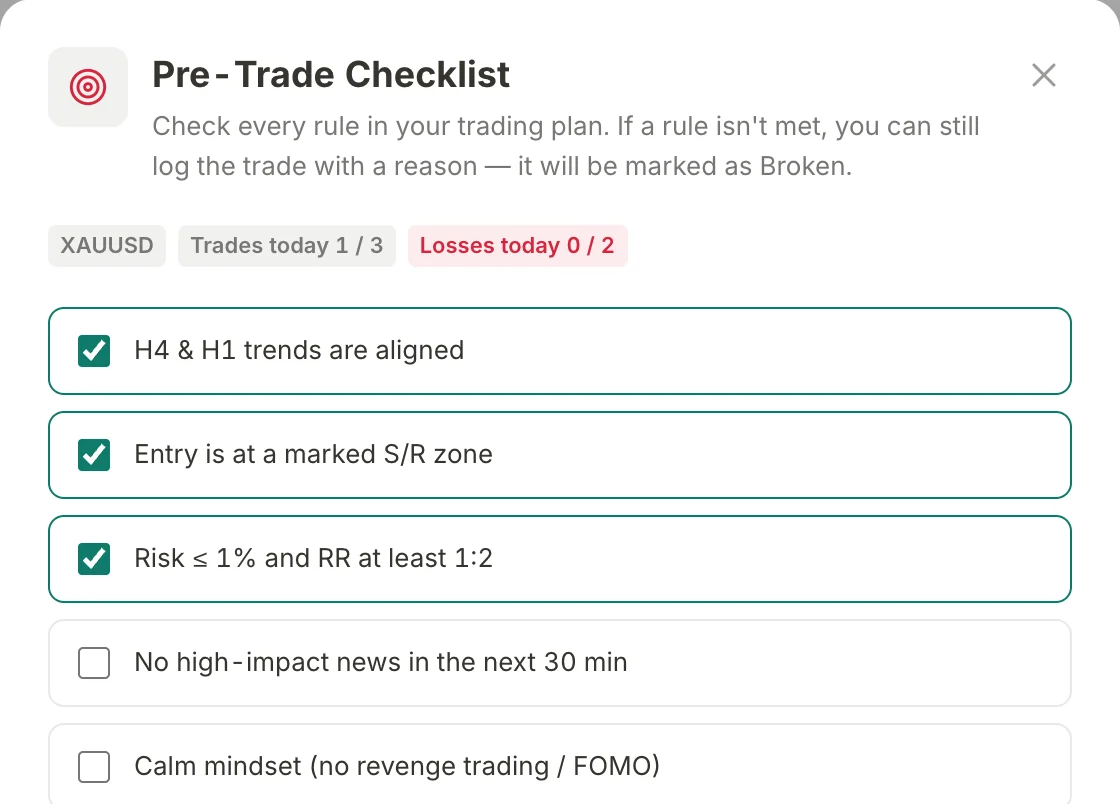
The Pre-Trade Checklist that opens before Log Trade, with three rules ticked and today's trade and loss limits.
Discipline Guard

A checklist before every trade

Log Trade always opens your pre-trade checklist first. Daily max trades and max losses lock logging before a revenge trade can start.

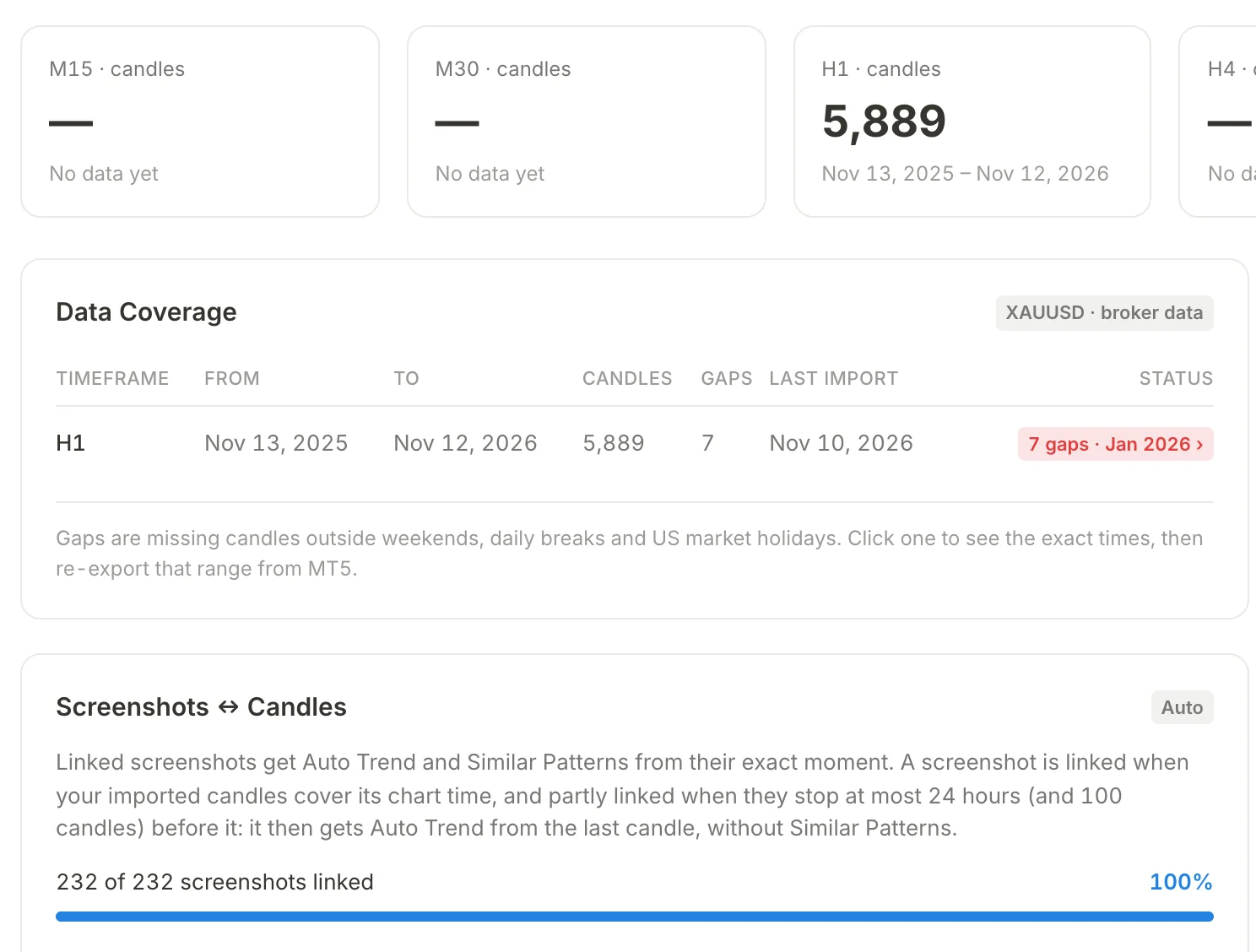
Market Data in Red Candle: imported MT5 candles per timeframe, data coverage with gaps, and screenshots linked to candles.
Calculated, Not Guessed

Reads from your MT5 candles

Import MT5 "Export Bars" CSV with broker time zone. Auto Trend, key levels, and gap detection are calculated mathematically.

DESKTOP APP · MACOS

Download Red Candle for your computer

A lightweight desktop app for macOS. A Windows version is coming soon. Your account and AI keys are kept in your computer’s secure keychain.

macOS

macOS Intel

Intel Processor (x86_64)

Native Intel build for Intel-based MacBook Pro, MacBook Air, iMac, and Mac Pro.

Requires macOS 12 Monterey or later (Intel x64)

RedCandle-macos-x64.dmg
Download .dmg (Mac Intel) · v1.4.8

Windows

Coming soon

Windows 10 & 11 (64-bit)

The Windows version is on its way. It will install and update through the Microsoft Store.

Will require Windows 10 (version 2004) or Windows 11, 64-bit, with WebView2

Microsoft Store
1 LICENSE = 1 COMPUTER

Switching computers? You can move your active subscription to another computer up to 3 times every 30 days right from the sign-in screen.

SIMPLE, TRANSPARENT PRICING

Choose your plan

Install the app, create your account, then choose a plan. Red Candle unlocks as soon as checkout is done — cancel any time in the Creem customer portal.

Monthly

$30/ month
Renews monthly until canceled.
No annual commitment
Choose Monthly

Yearly

SAVE 10%
$324/ year$360
Renews yearly until canceled.
Save $36/year · Equivalent to $27/month
Choose Yearly

Both plans include

✓Timeline, journal and pre-trade checklist with daily limits

✓MT5 candles: Auto Trend, AI Analysis and Similar Patterns

✓Local or cloud AI — bring your own key (Ollama, LM Studio, OpenAI, Anthropic)

✓1 computer, and your data stays on it

✓Every update while you’re subscribed

🔒 Secure checkout by Creem opens in your browser. Prices in USD; taxes are added at checkout where they apply.
READ-ONLY DATA GUARANTEE

Your trading history stays yours: if your subscription ends, your journal, trade details, CSV export, and local backups stay open in read-only mode.

Frequently Asked Questions

Can Red Candle see my trades?

No. Your journal, screenshots and MT5 candles are stored only on your computer. Our servers keep your account and license, nothing about your trading. If you connect a cloud AI, what you ask it to analyze goes straight to the provider you chose, with your own key.

Where are my trades and chart screenshots stored?

Everything is stored on your computer — the app’s database and your screenshot folder. Backups go to Documents › Red Candle Backups.

Can I use my subscription on more than one computer?

One subscription unlocks one active computer at a time. You can click “Move to This Computer” when switching computers (up to 3 times per 30 days).

Does Red Candle work offline?

Yes. Your license is checked on your computer, so the app keeps working offline for up to 14 days after its last online check.

Do I need a paid AI subscription to use Red Candle?

No. Auto Trend, levels, and Similar Patterns run 100% mathematically without AI. For AI explanations, connect a cloud AI with your own API key for better results. A free local model via Ollama or LM Studio also works, but small models around 3B can misread charts.

Is there a free trial?

No — Red Candle is paid from the start: $30/month or $324/year. You can cancel any time in the customer portal.

Can I get a refund?

Yes. Your first subscription payment is refundable on request within 14 days — email billing@redcandle.tech with your account email and order number. Renewals are reviewed case by case. Refunds go back to your original payment method and usually appear on your statement within 5–10 days. See the Terms of Service.

What happens if my subscription ends?

Red Candle switches to read-only: your journal, trade details, CSV export and backups stay open. Logging, imports and AI pause until you renew.